Training courses
Owners and admins. A training course arranges demos as lessons, grouped in sections. Learners sign in to save their progress, and organizers follow completion, quiz results and certificates for each learner.
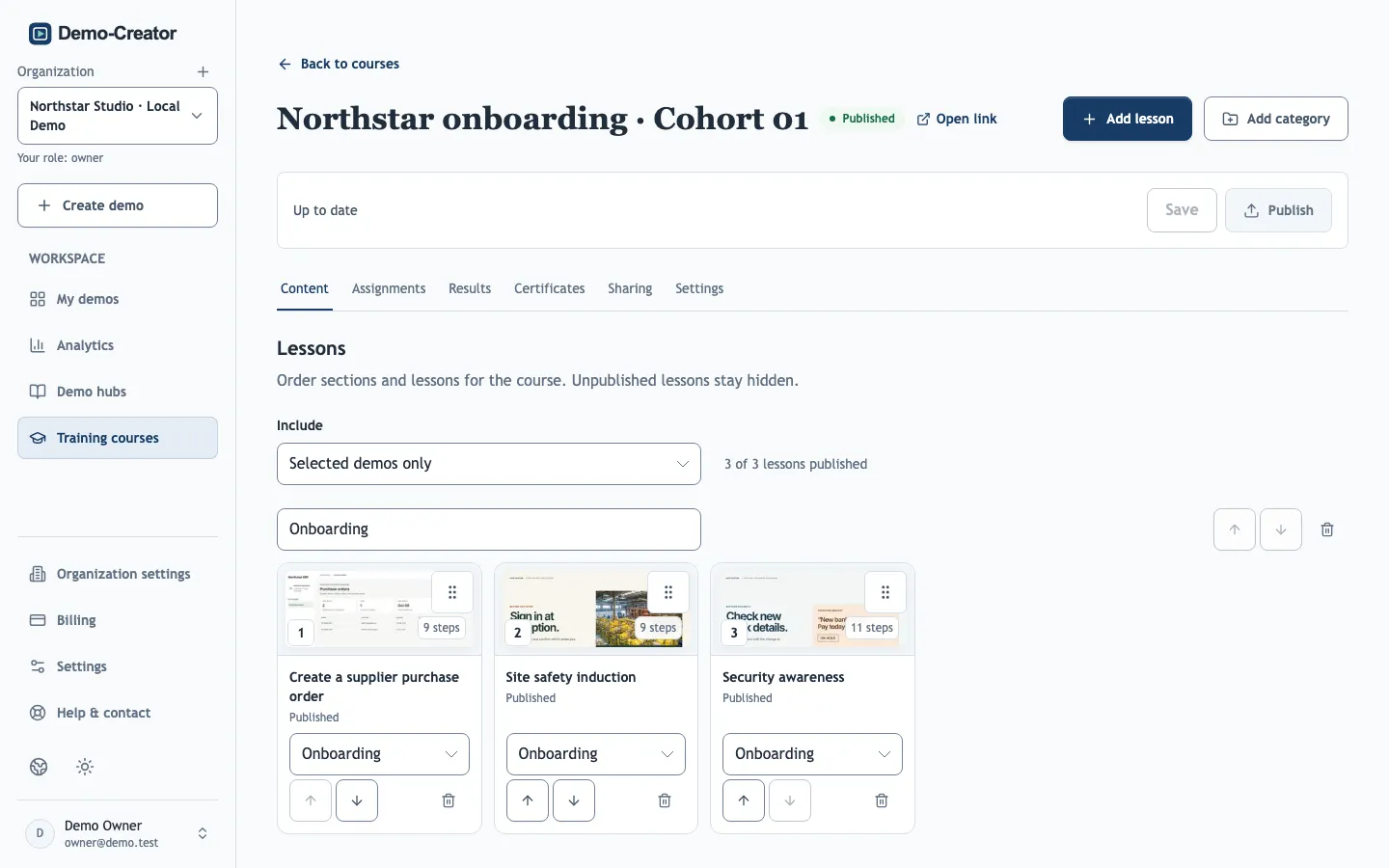
Build a course
On the Content tab, add lessons from your demos and group them with Add category. Lessons stay hidden from learners until their demo is published, so you can prepare a course before every demo is ready. As with demo hubs, All demos includes every published demo automatically, while Selected demos only keeps the course to the lessons you chose.
Keep lessons short, ideally one task each: progress, results and retraining are tracked per lesson.
Completion rules
The Quiz pass mark (%) is the score a learner needs in each graded lesson; the default is 80%. A learner completes the course when every required lesson is finished and every reviewed quiz is passed.
Changing the pass mark and publishing re-grades earlier attempts: learners can move between Passed and Needs retry, and assigned learners who now need a retry receive reminders again.
Course details in other languages
In Settings → Course details, add translations of the course title and description, written yourself or with Translate with AI. When the original changes, the translation is marked Source changed. Each lesson's own content is translated in the demo editor; see Translations.
Publish and update
Course changes stay a private draft until you publish them. Unpublish disables the course link. Show in the learner portal catalog, in Settings, is part of the draft too: it lists the published course in your learner portal. To deliver the course through another LMS, see LMS packages.
Delete course permanently deletes the course, its learner results and its issued certificates, and stops the certificate verification links. Export results and certificates first if you need records. Your demos are kept.
When you publish changes to a demo used as a lesson, learners with saved progress may need to restart that lesson. See Publish a demo used in a training course. Earlier outcomes stay in the learner's Completions, marked as a previous content version.