Results and grading
Training results
The Results tab of a course lists every learner who is assigned or has started, with their progress, score and last activity.
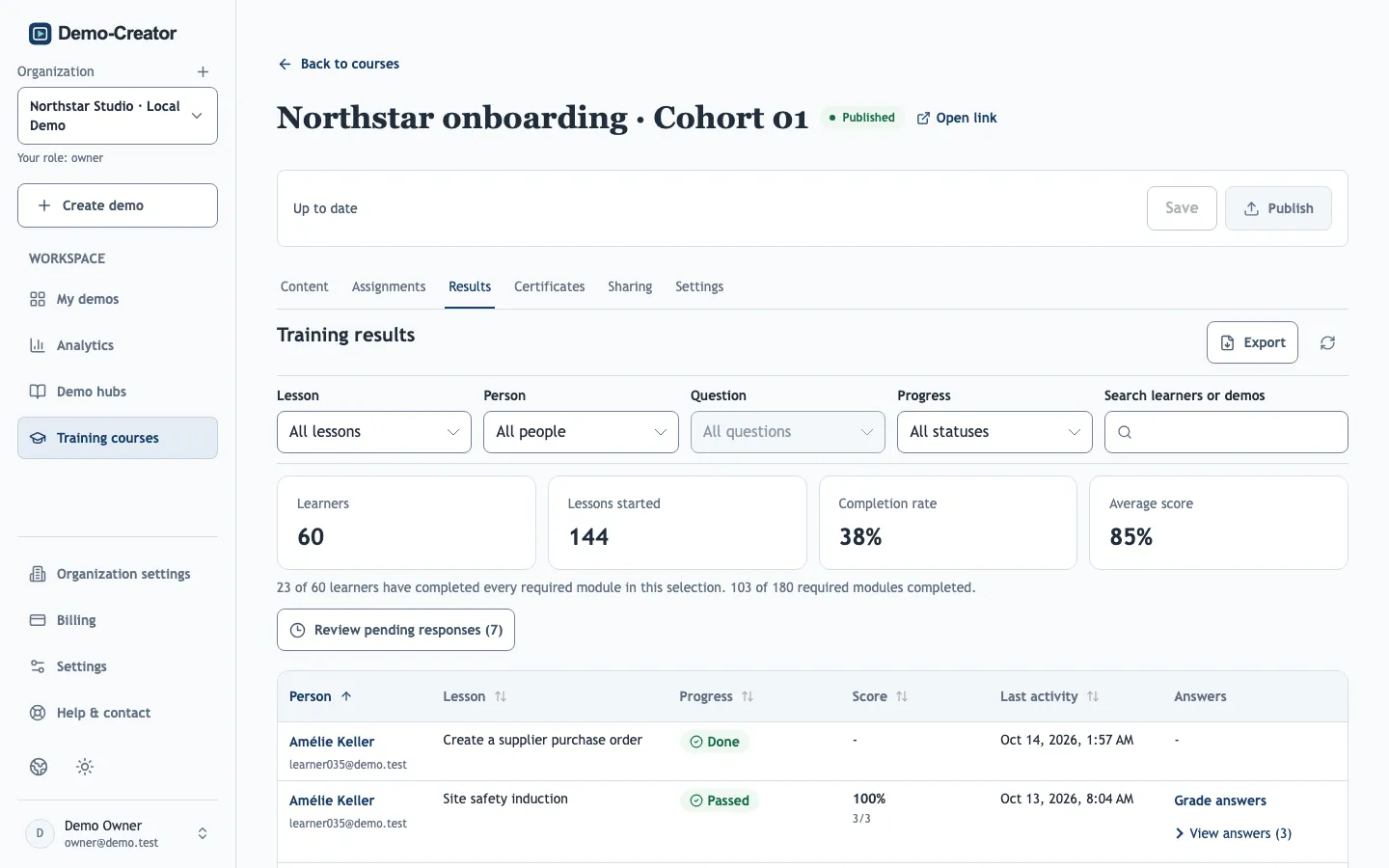
| Status | Meaning |
|---|---|
| Not started | Assigned, but no lesson opened yet. |
| In progress | At least one lesson started. |
| Awaiting review | Answers need manual grading before the result counts. |
| Passed | Every required lesson completed and every graded quiz passed. |
| Needs retry | A quiz score is below the course pass mark. |
| Done | The lesson is complete. |
Select a learner for per-lesson details, including Completions from earlier content versions and their certificates. Progress made without signing in stays in the learner's browser and does not appear here.
Export
- Export PDF — a report of the filtered selection, for example as evidence for an audit.
- Export results CSV — one row per learner and lesson with score, points and last activity (UTC).
- Export answers CSV — every submitted answer, for analysis outside Demo-Creator.
Grade answers
Editors, administrators and owners grade questions without automatic grading, and can review any other answer. Start from Review pending responses in the Results tab, or from Analytics → Quizzes for standalone demos. Mark each answer Correct or Incorrect, add feedback if useful, and Save grades.
- Grades apply to the question and answer exactly as they were recorded, even if the demo changed since.
- Training scores update as soon as grades are saved, and learners see your feedback in their Score and feedback.
- Score-based certificates wait until every answer is graded, so grade pending answers before issuing them.
Quiz statistics
For each demo with a quiz, Analytics → Quizzes shows the score distribution and per-question results for the selected period. See Analytics.