

Document the real workflow
Record clicks with the browser recorder, film hands-on work with the camera recorder, or upload screenshots. Then add the step descriptions and hotspots your readers need.
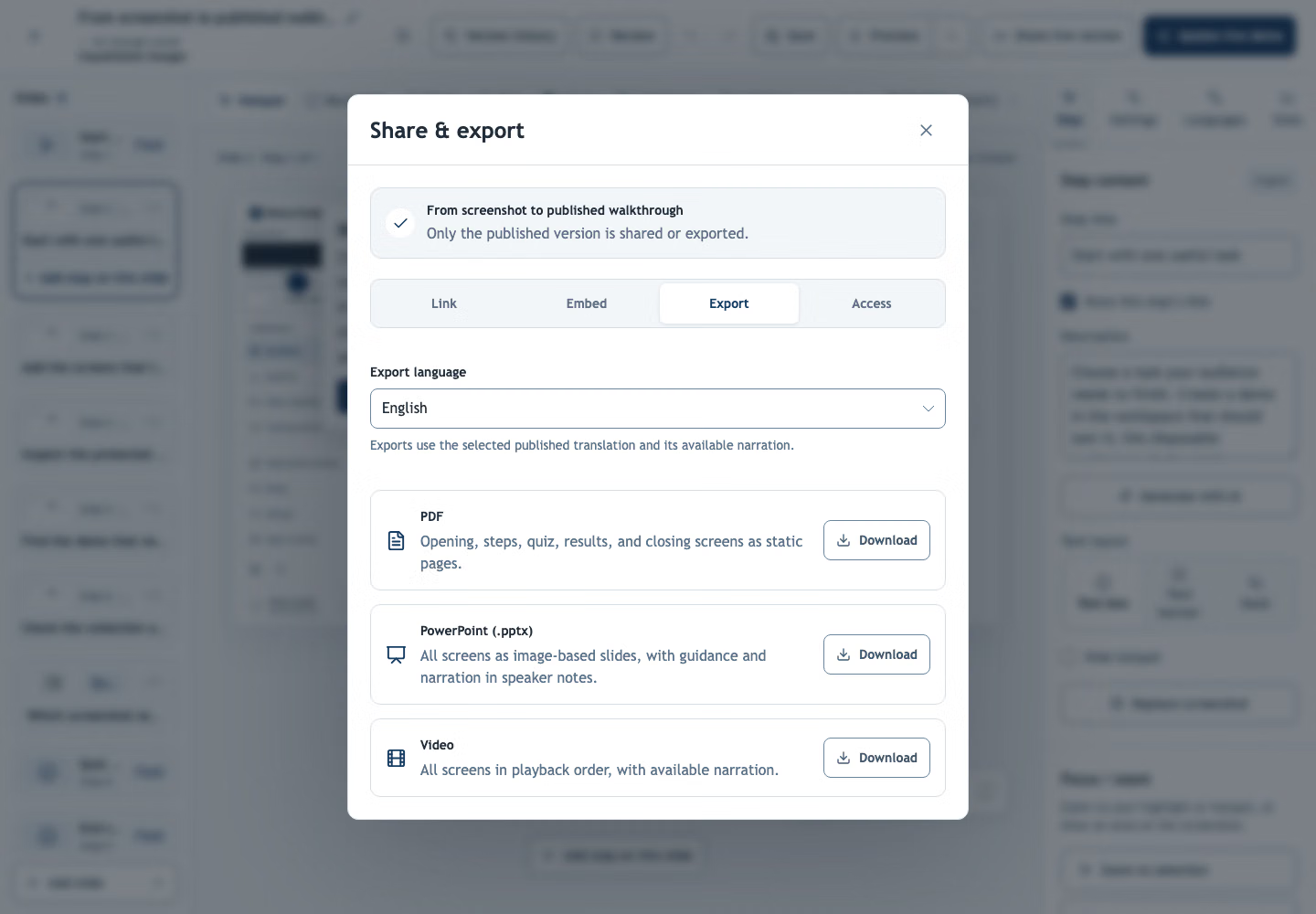
Screenshot manuals go out of date with every release. Build each procedure as one interactive demo, then share it online or export it as a PDF, PowerPoint or video.
Follow a fictional ERP purchase-order procedure, then download the same steps as a PDF for offline reading.
One demo is the source for a shareable link, a step-by-step PDF, a slide deck or a narrated video.
Record clicks with the browser recorder, film hands-on work with the camera recorder, or upload screenshots. Then add the step descriptions and hotspots your readers need.
Get one page per step with screenshots and instructions, ready for manuals, work instructions or SOP handouts. PowerPoint export works the same way.
Export the demo as a narrated video, so people can watch the whole procedure from start to finish.
Capture tasks in your ERP, CRM or internal tools step by step, with the fields and buttons people actually use.
Film equipment or workstations with the camera recorder and explain each step out loud. The written instruction is drafted from what you said.
Export the procedure as a PDF for audit files, handovers or colleagues who work offline.
When a screen changes, replace the affected screenshots and republish. The shared link stays the same.
Show each step with the camera, explain it out loud, and get clear written instructions to check and publish.
The PDF contains static screenshots, instructions and quiz questions. Share the demo link alongside it when readers need clickable steps, narration or quiz scoring.
Update the source demo, republish it and export a fresh file in the language you need. The interactive demo keeps the same link. Previously downloaded files do not update automatically.
Yes. Upload screenshots or photos, or import a PDF or PowerPoint file. Each image, page or slide becomes a step you can annotate.
Yes. Cover confidential details in the image editor. Covers are baked into the published images, while the originals stay in your private draft.
Share it as a link, or export a PDF, PowerPoint or video.
Create your first demo