

Build and assign a training course
Organize published demos into one course and share a single link. Assign learners, set due dates, and send reminders.
Group published demos into one course. Learners always know what comes next, and organizers see progress and quiz scores for each learner.
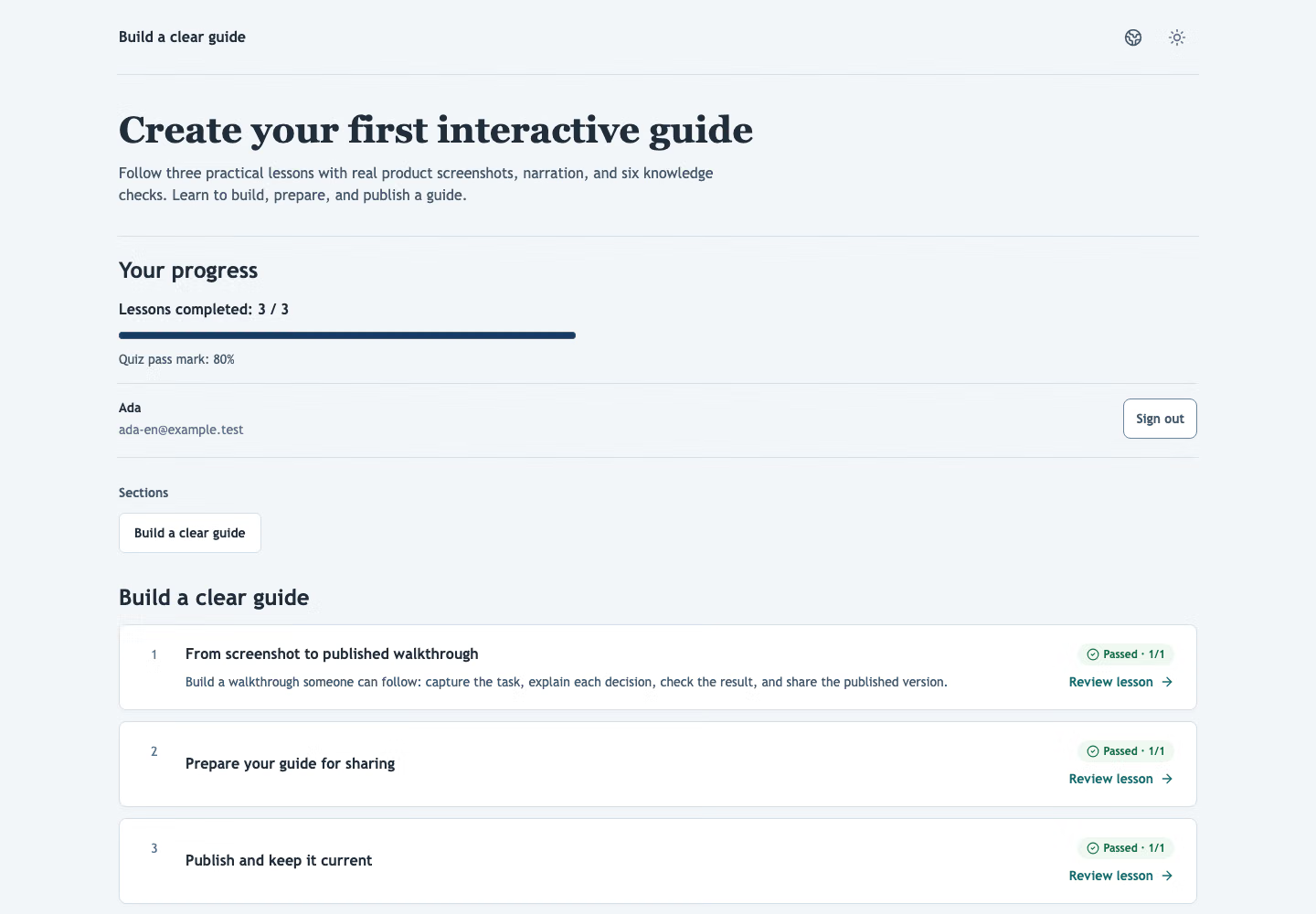 Illustrative training session in the real Demo-Creator interface.
Follow three practical lessons with real product screenshots, narration, and six knowledge checks.
Choose screenshots in task order, place hotspots, write useful instructions, and preview the complete sequence.
Start lessonCover sensitive details, inspect the player and exports, and check that narration matches the instructions.
Start lessonShare the published snapshot, embed the guide, and understand when links and downloaded files need updating.
Start lessonOrganize published demos into one course and share a single link. Assign learners, set due dates, and send reminders.
Progress is saved automatically, and learners can sign in by email to continue on another device.
Review learner completion, average quiz scores, and question responses. Filter results to find people who may need follow-up.
Put a short knowledge check at the end of your interactive demo. Review answers and scores to spot where people may need help.
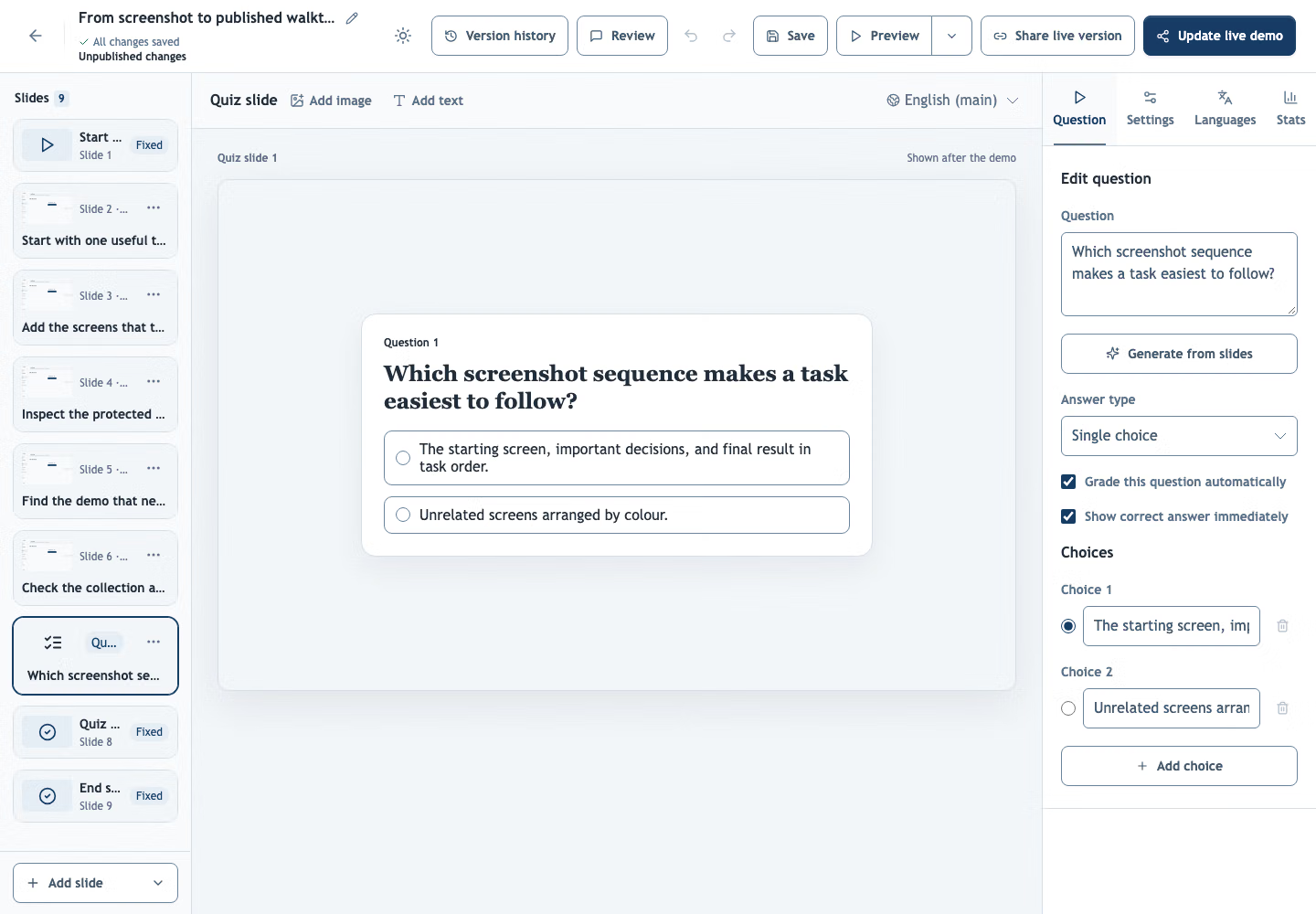
Use single choice, multiple choice, or written answers to check the decision or step that matters.
Automatically grade configured answers and optionally show a score slide when the quiz ends.
Review score distributions and per-question responses alongside recent answers. Spot questions learners find difficult.
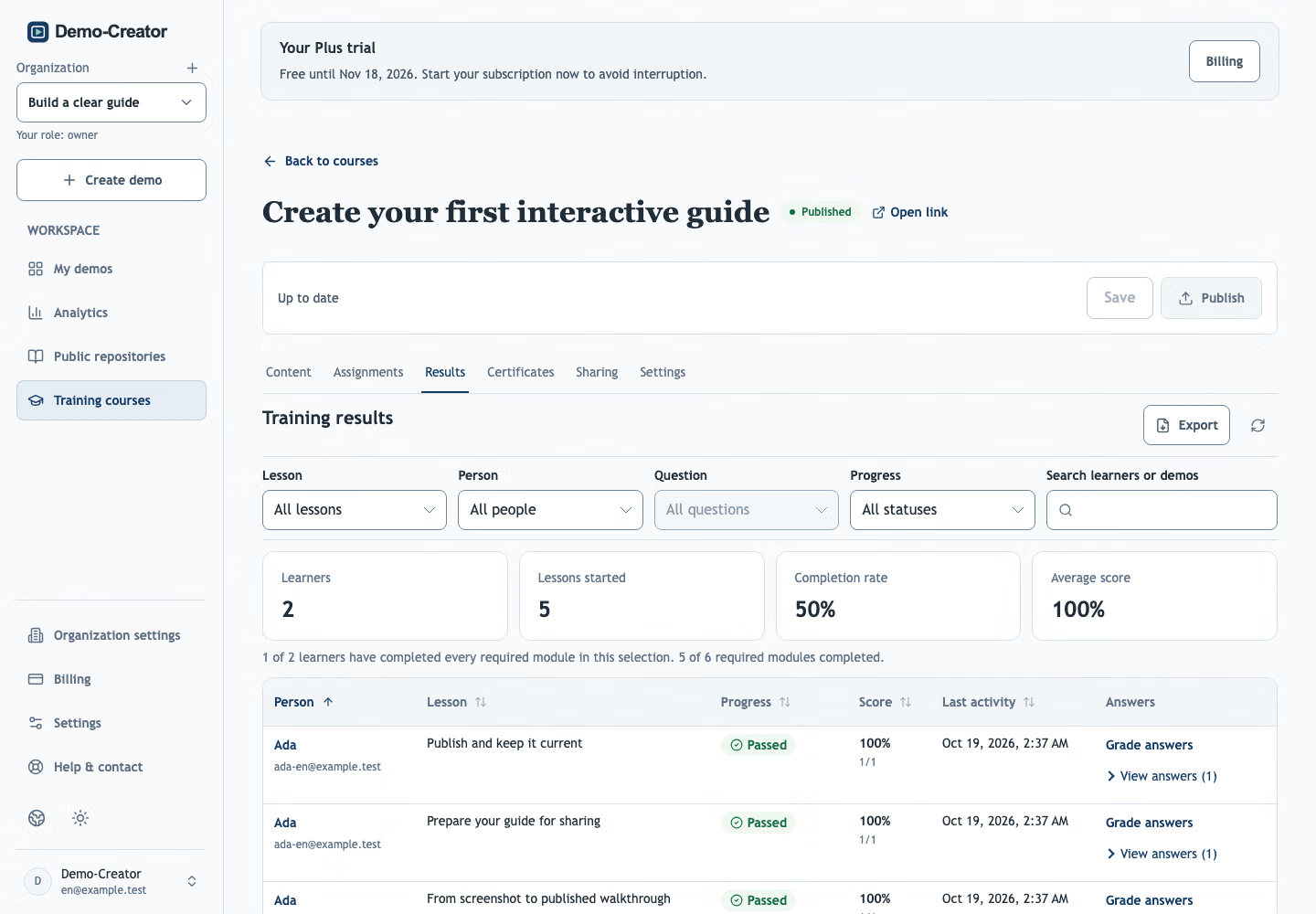
Export completion, quiz scores, question results, and learner answers as a PDF. Filter by demo, learner, question, or completion status to prepare a focused report.
Create certificates with learner details and your own fields. Download them or send them by email, with a public link to check their validity.
A training course links progress and quiz scores to named learners, who sign in separately from your workspace. A public demo only counts anonymous views, though you can still restrict who opens it.
Yes. Owners and admins can download a PDF with progress, scores, answers and feedback, including assigned learners who have not started. Filter Results by demo, learner, question, status or search before exporting.
Yes. Add quiz slides to any demo, publish it and share the link. Use a training course when you need results linked to named learners.
Single-choice, multiple-choice and text answers can be scored when you enable correction. Text must match an accepted answer, ignoring capitalization and surrounding spaces; multiple-choice answers require exactly the correct selections. You can also grade answers manually and add feedback.
Share one link and see who has finished.
Create your first demo