

Record a real workflow. Make it a demo.
Use the browser recorder for Chrome or Firefox to capture clicks in a selected tab, then refine the result in the editor.
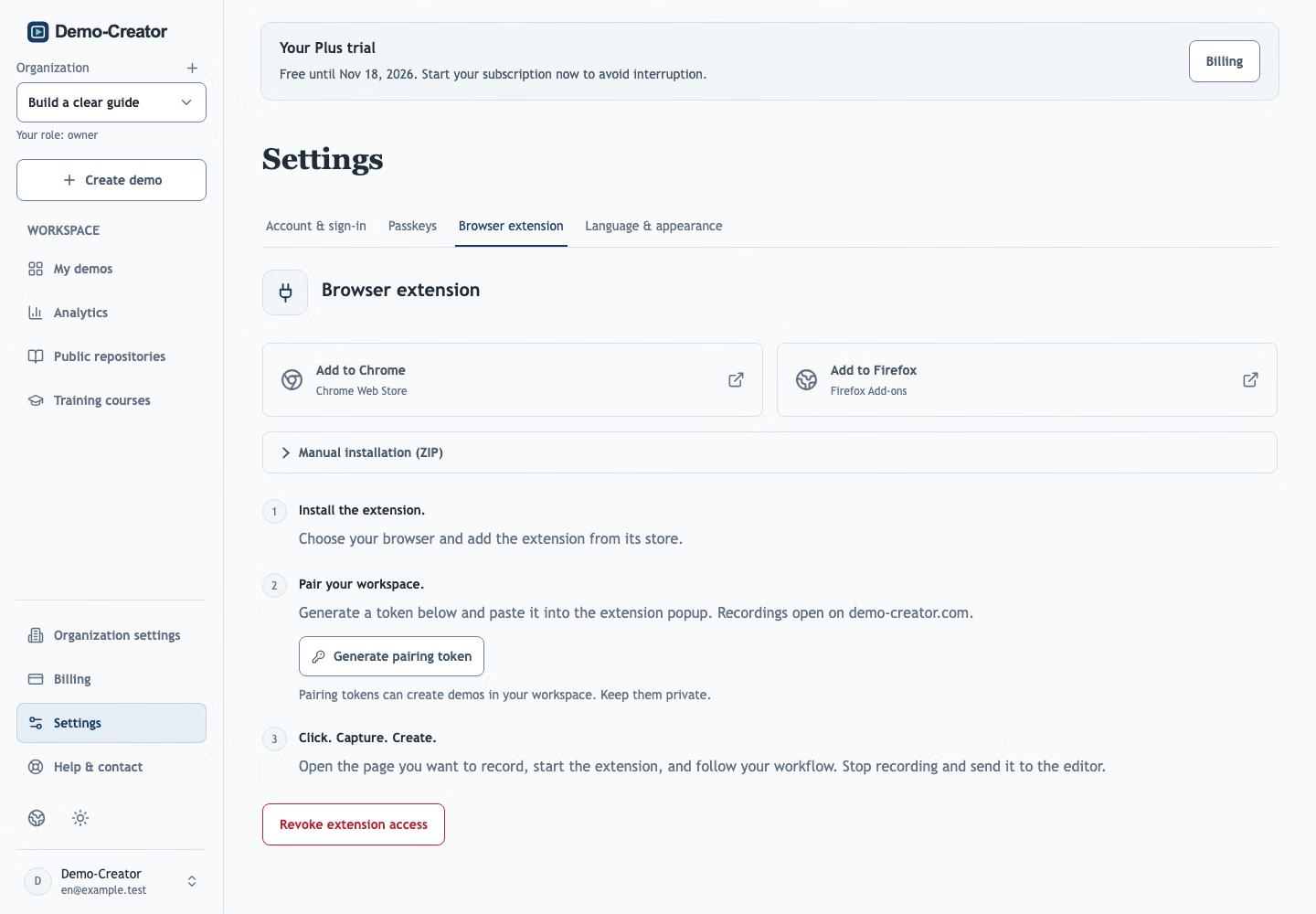
From browser clicks to editable steps
Follow the real browser recorder workflow.
Get the browser recorder
Included in every plan.
Manual installation (ZIP)
Download the package for your browser.
Unzip the download. In Chrome, open chrome://extensions, enable Developer mode, and choose “Load unpacked”. In Firefox, open about:debugging#/runtime/this-firefox, choose “Load Temporary Add-on”, and select manifest.json.Firefox temporary add-ons must be reloaded after restarting the browser.
- Choose your browser and add the extension from its store.
- Create a pairing token in your workspace settings and paste it into the recorder.
- Open the page you want to record, start the browser recorder, and follow your workflow. Stop recording and send it to the editor.
Questions before you start
Which browsers does the browser recorder support?
Chrome, Chromium browsers such as Edge, and Firefox. Only the person recording needs the extension; viewers just open the link.
Is the recorder a screen video?
No. Each click becomes an editable step with a screenshot, hotspot and instruction. If you need a video, export the published demo as one.
Record the task you demonstrate most.
Edit the steps instead of recording again.
Create your first demo